




Panel PCs – how to choose display, touch and IP rating
A panel PC is a computer and touchscreen in one, built to sit at the machine. This guide explains how to choose the display, touch technology, IP rating and mounting – and when an HMI panel or a separate monitor is a better fit.
 By Erik Ahlqvist, Managing Director of SCN · Updated 24 October 2026 · 7 min read
- Display – 10 to 15 inches is enough for most machines. Outdoors and in bright light you need around 1,000 nits or more.
- Touch – PCAP (projected capacitive) for a glass front and multi-touch gestures. Resistive for thick gloves and a stylus.
- IP rating – an IP65 or IP66 front is enough in a cabinet door. If the panel is free-standing or hosed down, you need a fully sealed housing, for example IP69K.
- Mounting – panel mount in a cabinet door, VESA on an arm or wall, open frame for integration.
- Panel PC or HMI panel – a panel PC when you need Windows or Linux and your own software, an HMI panel for straightforward machine operation.
What is a panel PC?
A panel PC is an industrial computer with a built-in touchscreen. It is used as an operator panel, SCADA client, MES terminal or information display on the production line. The processor and cooling are chosen as for other industrial computers, which we cover in our guide to industrial PCs. Here we focus on the front: the display, the touchscreen and the seal.
| Option | Choose when | Keep in mind |
|---|---|---|
| Panel PC | You need Windows or Linux, SCADA, a web browser or your own software at the machine | All in one unit. Computer and display are replaced together |
| HMI panel | The operator runs a machine controlled by a PLC | Simpler and cheaper, see our guide to HMI and operator panels |
| Monitor and box PC | The computer needs a lot of power or should sit protected in the cabinet | Monitor and computer can be replaced separately |
Screen size, resolution and brightness
Start from what the operator needs to do. For start, stop and a few settings, 7 to 10 inches is enough. Process graphics, trends and SCADA often need 15 to 22 inches and Full HD. If you have an existing application built for a 4:3 format, such as 1024 × 768, a widescreen display may stretch the image or add black bars.
Brightness is stated in nits (cd/m²). Indoors, 300 to 500 nits is normally enough. Near windows, outdoors and in vehicles you need around 1,000 nits or more for the screen to be sunlight readable. Reflections in the glass are often a bigger problem than brightness, though. On ships and in vehicles the screen must also dim to a very low level at night. If the operator views the screen from the side, choose a wide viewing angle (IPS or WVA).
PCAP or resistive touchscreen?
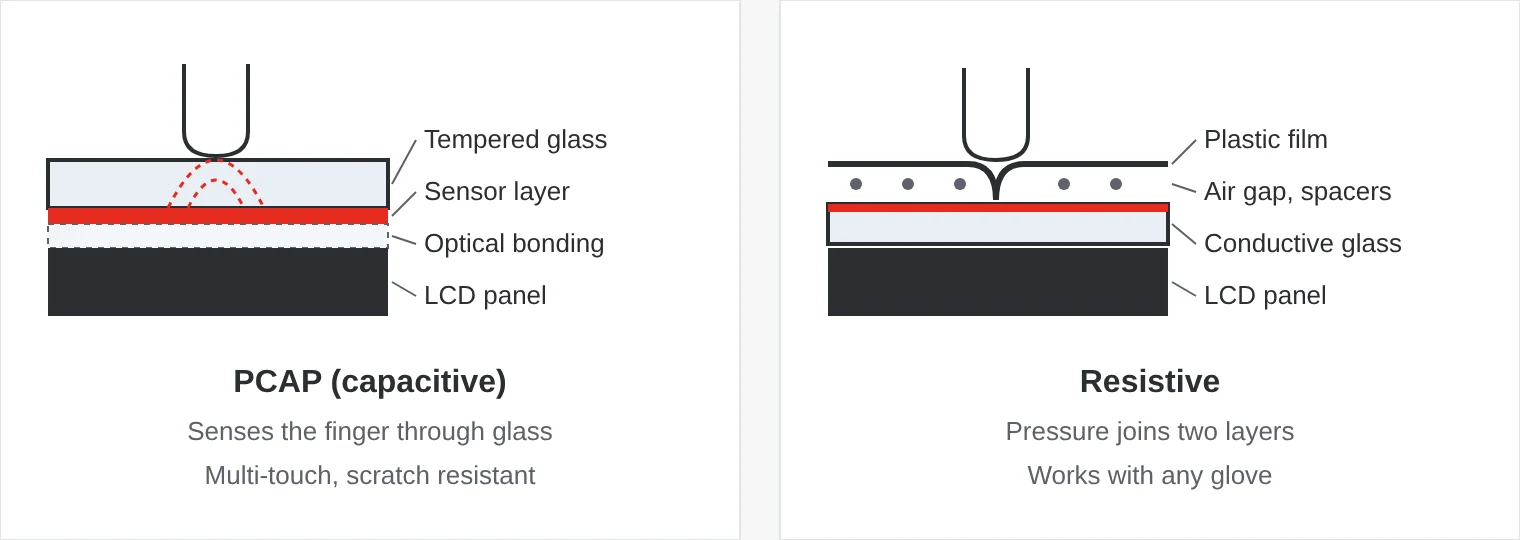
| Property | PCAP (capacitive) | Resistive |
|---|---|---|
| Principle | Senses the finger through the glass | Pressure joins two conductive layers |
| Multi-touch | Yes, pinch and swipe | No, usually a single point |
| Gloves | Thin gloves, thicker if the controller is tuned for it | Any glove or stylus |
| Water on the screen | Can cause false touches unless the controller filters out water | Little effect |
| Surface | Tempered glass, easy to clean | Plastic film that can scratch |
PCAP is standard in new panel PCs and HMI panels. Resistive touch is still used where operators wear thick work gloves, for example in forestry machines and cold stores. Always test with the gloves actually used on site and with water on the glass.
IP rating, mounting and glass
Most panel PCs are rated IP65 or IP66 at the front. That only applies when the panel is mounted in a cut-out in a sealed cabinet door, with the clamps correctly tightened. The rear is often only IP20 and must be protected inside the cabinet. Our guide to IP ratings explains what the digits mean.
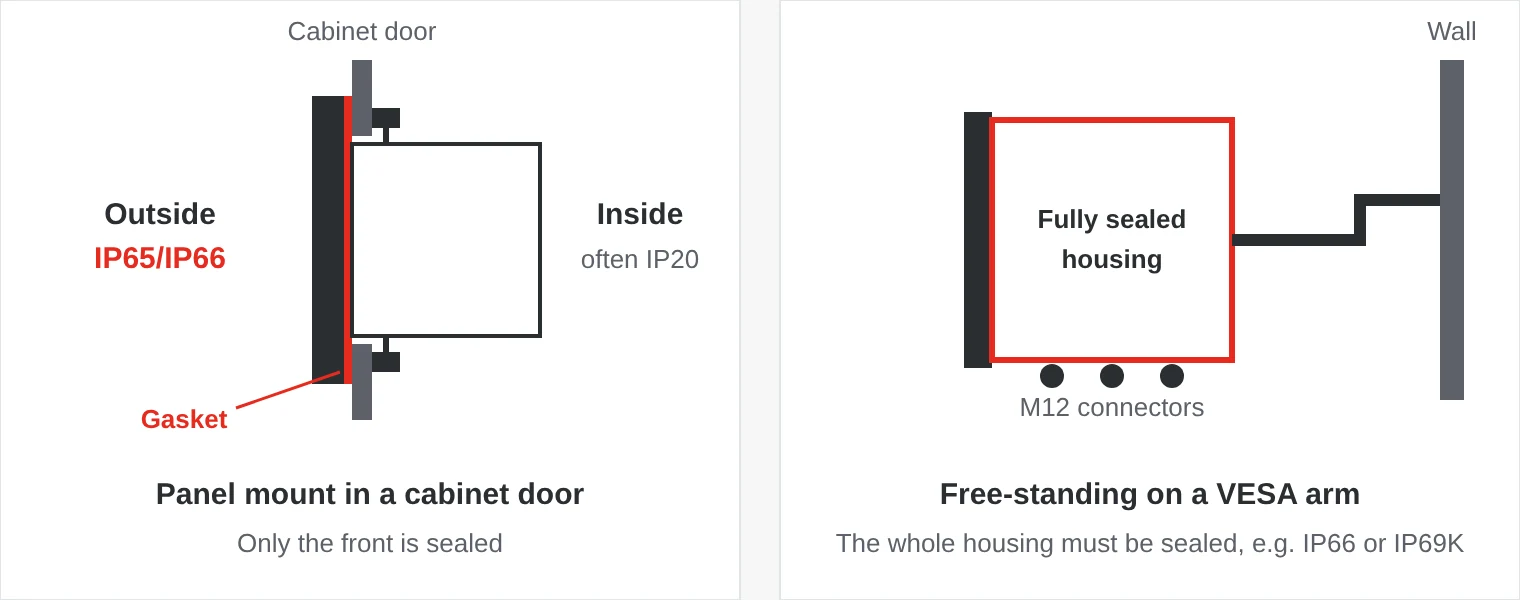
- Panel mount – in a cut-out in the cabinet door or console, held by clamps from behind.
- VESA – a standard hole pattern, for example 75 × 75 or 100 × 100 mm, for an arm, wall bracket or desk stand.
- Open frame – no outer housing, for machine builders who integrate the computer behind their own front.
The glass determines both durability and readability. Tempered glass withstands impacts and scratches, and an anti-reflective coating reduces glare. With optical bonding, the air gap between the glass and the LCD is filled with a clear adhesive. That gives fewer reflections, no condensation behind the glass and a more impact-resistant screen.
Food, outdoor and vehicles
- Food and pharma – a stainless steel IP69K housing, smooth surfaces and sealed M12 connectors that withstand daily high-pressure washdown.
- Outdoor – a sunlight-readable screen, optical bonding and a heater that lets the display start in the cold.
- Vehicles and mobile machines – 9–36 V DC, ignition control, CAN, E-mark approval and a dimmable screen.
- Hazardous areas – panel PCs approved for ATEX and IECEx Zone 2 in oil, gas and chemical plants.
- Healthcare – medical panel PCs to IEC 60601-1 that withstand daily disinfection.
- Defence and marine – consoles tested to MIL-STD-810 and bridge computers to IEC 60945 with a night mode.
Temperature, power and I/O
A panel PC runs hotter than a box PC with the same processor, because the display backlight also produces heat. In a cabinet door in the sun or near an oven the temperature behind the panel can get high, so check the temperature range of the whole unit. In cabinets 24 V DC is most common, and a wide input range such as 9–36 V DC makes the same model usable in vehicles too. Two network ports let you keep the machine network separate from the plant network.
Five common mistakes
- Only the front is sealed. A panel with an IP65 front on a free-standing arm lets water and dust in from behind.
- The screen is only tried indoors. A display that looks good in the office can be unreadable in sunlight or reflect the ceiling lights.
- The wrong gloves. Test the touchscreen with the operators’ own gloves and with water on the glass.
- The wrong aspect ratio. An older application designed for 4:3 looks stretched on a widescreen display.
- The cut-out does not fit. When replacing an older panel, check the cut-out size and depth, or the cabinet needs rework.
Panel PCs from SCN
We supply panel PCs from brands such as Winmate, Arbor Technology, Yaskawa, Axiomtek and IEI – from 10-inch open frames to stainless IP69K models, sunlight-readable displays and panel PCs for vehicles, defence and healthcare.
Examples from our range
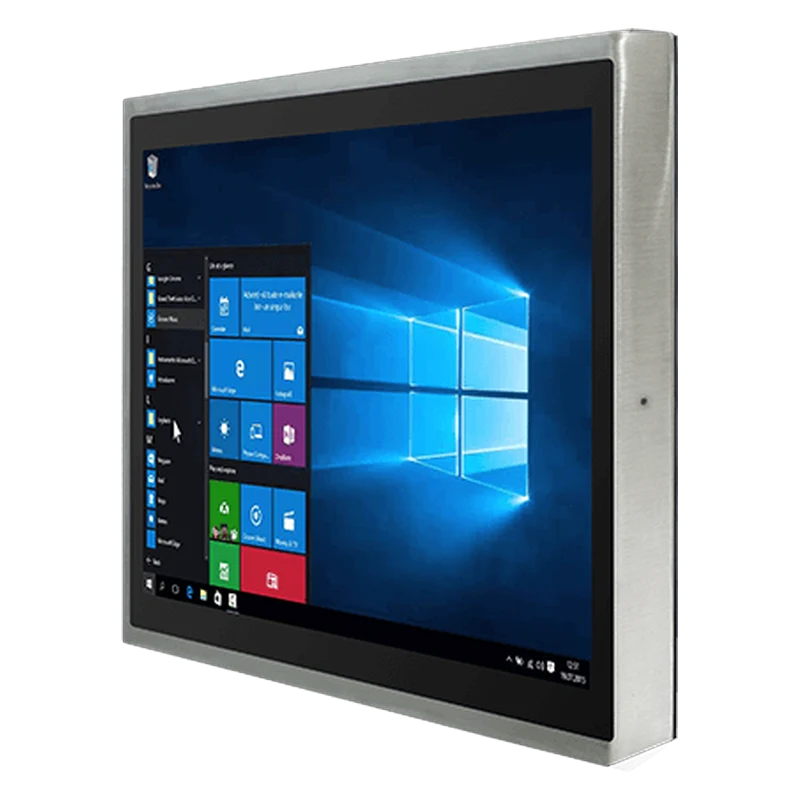 WinmateR17IT3S-SPM169 17" IP69K Stainless Panel PCFully stainless 17-inch panel PC with IP69K and PCAP touch, for food, beverage and pharma lines that are washed down daily.View product →
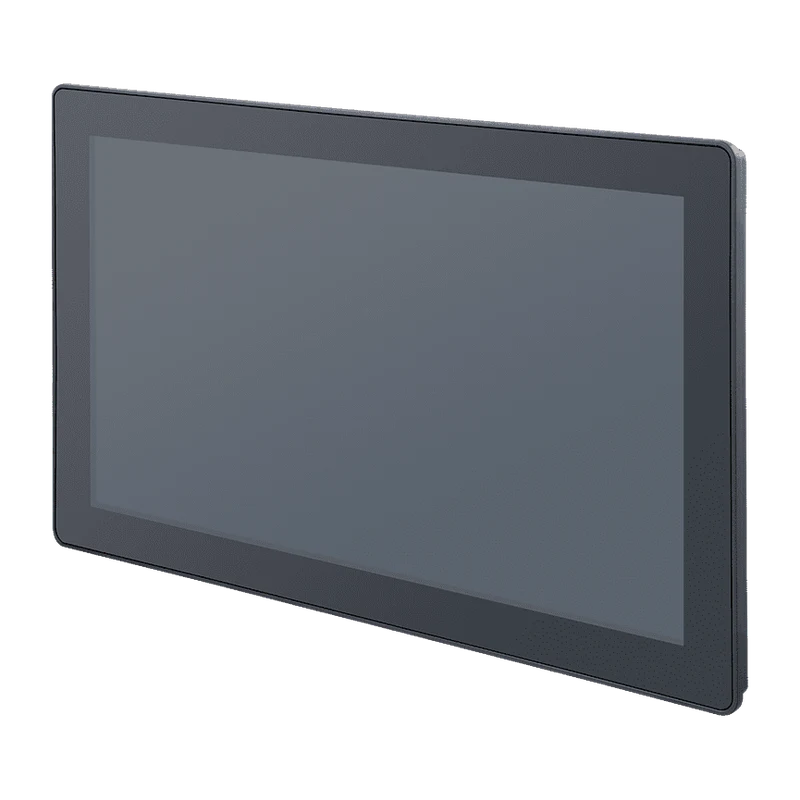 Arbor TechnologySP Series Fanless Panel PC 12–21.5 inchFanless panel PC with an IP66 front, 450-nit PCAP touchscreen and 12–36 V DC input.View product →
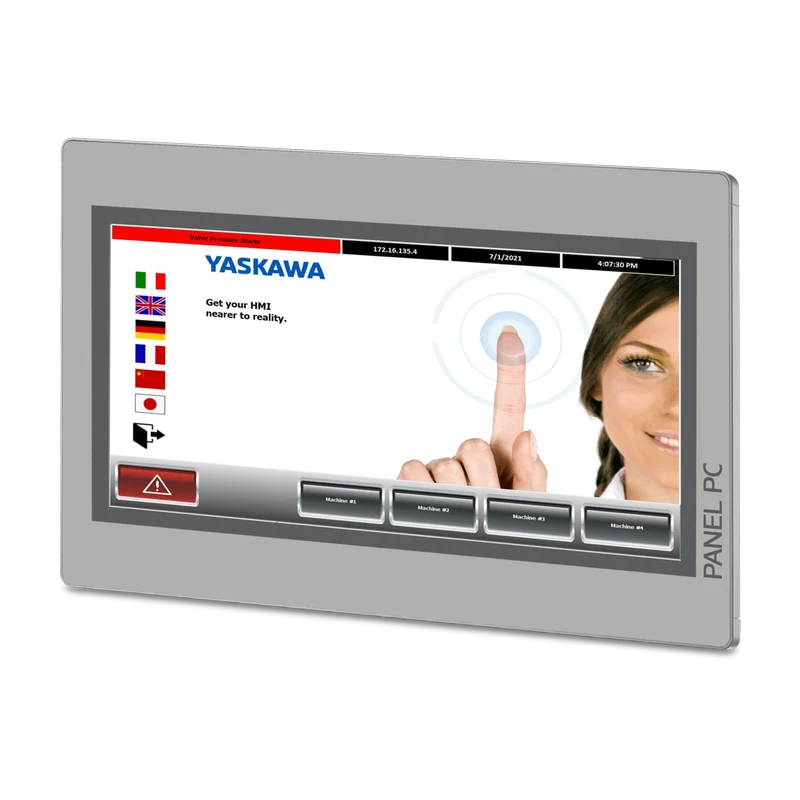 YaskawaPPC010 / PPC015 / PPC021 Panel PC10.1 to 21.5-inch panel PC with PCAP touch, IP66 front, 24 V DC and Movicon runtime for visualisation.View product →
Erik Ahlqvist is Managing Director of SCN and has spent more than 20 years helping industrial companies choose the right electronics for demanding environments. He holds a BSc in Electronics from KTH Royal Institute of Technology, Stockholm.
LinkedIn profileFrequently asked questions
What is the difference between PCAP and resistive touch?
PCAP senses the finger through glass and supports multi-touch gestures. Resistive touch reacts to pressure and works with any glove or stylus, but has a plastic surface that can scratch.
What IP rating does a panel PC need?
In a cabinet door an IP65 or IP66 front is usually enough. If the panel is free-standing, outdoors or hosed down at high pressure, you need a fully sealed housing, for example IP66, IP67 or IP69K.
How bright does a screen need to be in sunlight?
Around 1,000 nits is often quoted as the threshold for a sunlight-readable display. Optical bonding and an anti-reflective coating matter just as much, because they reduce reflections.
What is optical bonding?
Filling the air gap between the touchscreen glass and the LCD with a clear adhesive. It reduces reflections, prevents condensation and makes the screen more impact resistant.
More guides on Industrial Computers
All guides →Not sure which display, touch technology or IP rating your environment needs? Ask us – you will get an answer within 24 hours.
Ask us