




HMI and operator panels – how to choose
The operator panel is the part of the machine the operator sees. This guide explains the difference between an HMI panel and a panel PC, how the panel communicates with the PLC and what to consider for software, alarms and remote access.
 By Erik Ahlqvist, Managing Director of SCN · Updated 24 October 2026 · 7 min read
- HMI – Human Machine Interface, where the operator sees status, changes values and acknowledges alarms.
- HMI panel – a touchscreen with ready-made HMI software. Simple, quick to start and enough for most machines.
- Panel PC with SCADA – when you need Windows, many PLCs, databases or your own software.
- Communication – check that the panel has a driver for your PLC, such as Siemens, Rockwell, Omron or Modbus, or use OPC UA.
- Remote access – saves travel, but requires a VPN, personal accounts and logging.
What is an HMI?
HMI stands for Human Machine Interface. In practice it is usually a touchscreen in the cabinet door that shows the machine’s status, measured values, alarms and trends, and where the operator starts, stops and changes settings. On simple machines, push buttons and indicator lamps are still enough.
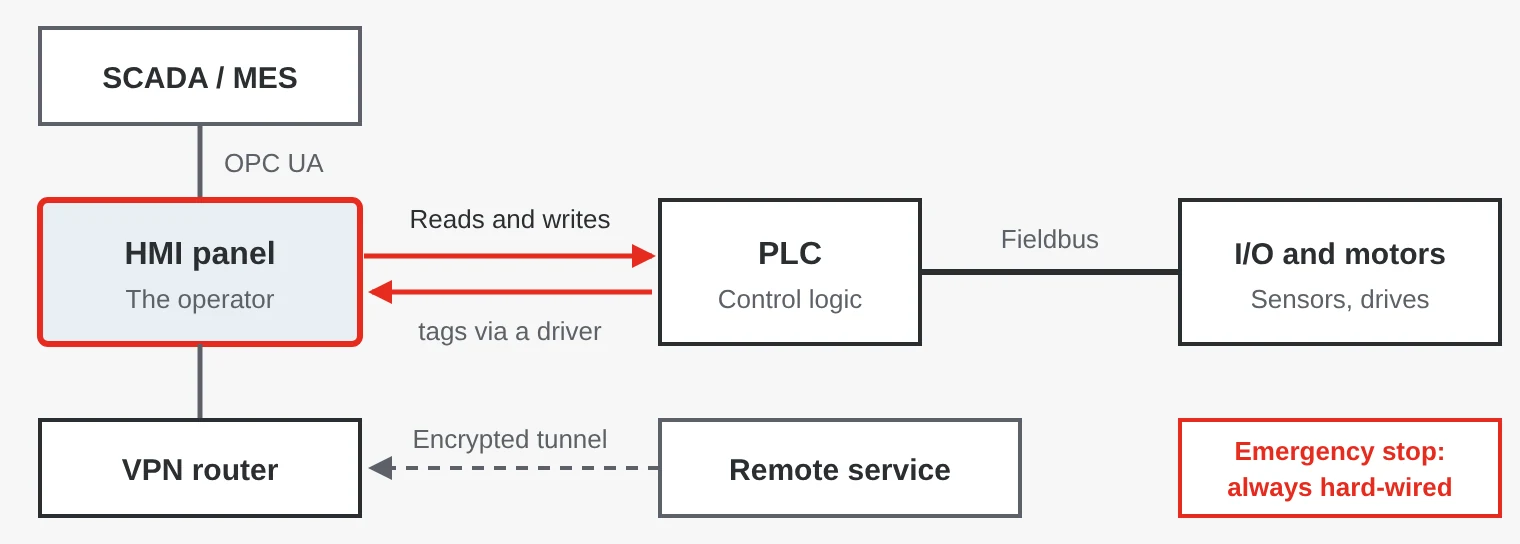
The HMI does not control the machine itself – the PLC does. The panel reads and writes variables, called tags, in the PLC. That is why the panel can be replaced without changing the control logic. Safety functions such as emergency stop must always be hard-wired in the safety circuit, never a button on the screen.
HMI panel or panel PC with SCADA?
| Property | HMI panel | Panel PC with SCADA software |
|---|---|---|
| Operating system | Embedded system you do not need to maintain | Windows or Linux |
| Software | The manufacturer’s configuration tool | SCADA or HMI software with a runtime licence |
| Suitable for | One machine or line with one or a few PLCs | Several machines, databases, reports and MES |
| Maintenance | Fast start-up, few updates | Needs security updates and IT maintenance |
| Price | Lower | Higher, but more flexible |
The boundary is blurring. Modern HMI panels can show web pages, log to databases and sometimes run PLC programs to IEC 61131-3 with CODESYS. There are also headless HMI servers for DIN rail that show the interface on tablets or ordinary monitors. Screen size, touch technology and IP rating are covered in our guide to panel PCs.
Communication with the PLC
The panel communicates with the PLC through a driver for the PLC’s protocol. That is the first thing to check: is there a driver for your PLC family, and over which interface?
| PLC or protocol | Typical connection | Keep in mind |
|---|---|---|
| Siemens S7-1200 and S7-1500 | Ethernet | Does the panel support optimised data blocks, or must PUT/GET be enabled in the PLC? |
| Siemens S7-300 and S7-400 | MPI, PROFIBUS or Ethernet | Older plants often only have MPI |
| Rockwell (Allen-Bradley) | EtherNet/IP | Tags can often be read by name straight from the PLC project |
| Omron | EtherNet/IP or FINS | Choose the driver by PLC series |
| Modbus RTU and Modbus TCP | RS-485 or Ethernet | Works with almost anything, but needs a register map |
| OPC UA | Ethernet | Vendor-neutral with built-in security, common towards SCADA and MES |
Many panels can talk to several PLCs at once and act as a simple gateway between protocols. Our guide to industrial protocols covers them in more detail.
Software, alarms, recipes and logging
Each manufacturer has its own configuration software, for example EasyBuilder Pro for Weintek and Movicon for Yaskawa panels. Compare the licence model: the development tool is often free for HMI panels, while SCADA software usually has a runtime licence based on the number of tags. Also check that the project can be simulated on a PC and that the interface can be shown in several languages.
- Alarms – priorities, acknowledgement and alarm history. IEC 62682, based on ISA-18.2, describes how to plan alarm management so that operators are not flooded with alarms.
- Recipes – parameters for different products are stored in the panel and sent to the PLC at product changeover.
- Logging and trends – values are stored on an SD card, USB stick or in a database. In the pharmaceutical industry, FDA 21 CFR Part 11 requires access control and an audit trail.
- Process graphics – ISA-101 gives guidelines for clear screens: neutral colours as the basis and strong colours only for deviations.
Remote access and security
Remote access lets the machine builder troubleshoot and update the program without travelling to the customer. Some panels have a built-in remote access service, others connect through a VPN router. The basic rules are the same:
- Never open a firewall port directly to the panel. Use an encrypted VPN tunnel.
- Use personal accounts and two-factor authentication, and change all default passwords.
- Keep the machine network separate from the office network.
- Let the customer control when remote access is active, and log who has connected.
The requirements of IEC 62443 and NIS2 are covered in our separate guide to cybersecurity for industrial networks.
Mounting and mobile displays
An HMI panel is normally mounted in a cut-out in the cabinet door, with an IP65 or IP66 front. Where the operator needs to move around the machine, handheld panels with an emergency stop and a three-position enabling switch are used, connected through a junction box.
Cranes, forestry and mining machines and forklifts use rugged displays with CAN and protocols such as SAE J1939 or CANopen, 12 or 24 V power and E-mark approval. The screen must be readable in sunlight and dim at night. Physical buttons are a plus when the driver wears gloves or the machine shakes.
Five common mistakes
- Emergency stop on the touchscreen. Safety functions must be hard-wired in the safety circuit, never a button in the HMI software.
- Checking the driver too late. A panel without a driver for your PLC is an expensive surprise at commissioning.
- Too many alarms. When everything alarms, operators stop reading. Remove alarms that do not require an action.
- An open port to the internet. Port forwarding straight to the panel is a common way in for attackers.
- The project file is missing. Without the source file and passwords the panel can neither be changed nor replaced. Keep the project under version control.
Operator panels from SCN
We supply operator panels from Yaskawa and Weintek – from 4.3-inch panels to 21.5-inch Full HD, handheld HMIs and headless HMI servers for DIN rail. For vehicles and mobile machines there are rugged displays and panel PCs from brands such as Winmate.
Examples from our range
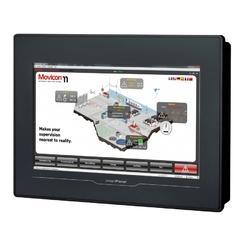 YaskawaTP310-SM10.1-inch operator panel with an IP66 front, Movicon CE and both RS-232/422/485 and Ethernet for connecting to the PLC.View product →
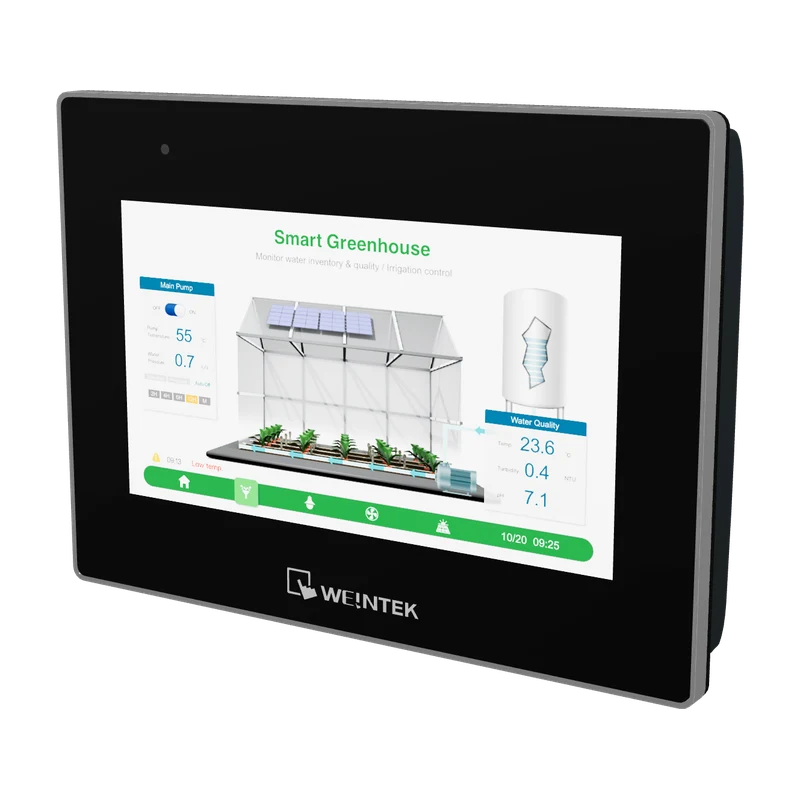 WeintekcMT3072XP HMI with 7-inch capacitive display7-inch HMI with capacitive touch behind tempered glass, an IP66 front and CAN with CANopen and SAE J1939.View product →
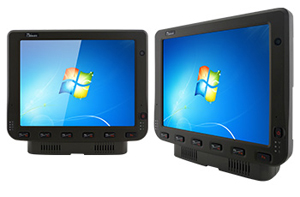 WinmateFM10 – 10" full IP65 rated PPCRugged 10-inch vehicle computer with IP65, CAN and −30 to 60 °C, for forklifts, warehouses and forestry machines.View product →
Erik Ahlqvist is Managing Director of SCN and has spent more than 20 years helping industrial companies choose the right electronics for demanding environments. He holds a BSc in Electronics from KTH Royal Institute of Technology, Stockholm.
LinkedIn profileFrequently asked questions
What does HMI mean?
Human Machine Interface, the interface between people and machines. Usually a touchscreen where the operator sees status, changes settings and acknowledges alarms.
What is the difference between HMI and SCADA?
An HMI is usually a local panel at one machine. SCADA is a higher-level system that collects data from many machines or stations, with alarm management, history and reports.
Does an HMI panel work with a Siemens PLC?
Yes, most HMI panels have drivers for Siemens S7. For S7-1200 and S7-1500 you may need to enable PUT/GET or use non-optimised data blocks, depending on the panel’s driver.
How do you get secure remote access to an HMI?
Use an encrypted VPN tunnel, personal accounts and two-factor authentication. Never open ports directly to the panel, and let the customer control when access is active.
Want to know which panel suits your PLC and your environment? Ask us – you will get an answer within 24 hours.
Ask us