




Managed vs unmanaged switch – and when you need TSN
An unmanaged switch connects devices without any settings. A managed switch lets you control, prioritise and monitor the traffic. This guide explains the differences, what industry demands and when Time-Sensitive Networking (TSN) is worth choosing.
 By Erik Ahlqvist, Managing Director of SCN · Updated 24 October 2026 · 7 min read
- Unmanaged – plug and play with no settings. Enough for a small, isolated machine or cell.
- Managed – VLANs, prioritisation, IGMP snooping, redundancy and diagnostics. Needed when the network grows or connects to the plant network.
- Smart switch – a middle ground with the key functions and simpler setup.
- Ring – with a ring protocol the network recovers in milliseconds after a cable break.
- TSN – guaranteed latency on standard Ethernet. Relevant when control, video and IT share one network.
What is the difference?
A switch sends each Ethernet frame to the right port. An unmanaged switch does just that: it learns the addresses by itself and works straight away. A managed switch can be configured via a browser, command line or SNMP. You can then split the network, prioritise important traffic, build in redundancy and see what is happening on each port.
| Function | Unmanaged | Managed |
|---|---|---|
| Settings | None | Web, command line, SNMP |
| VLAN | No | Yes, IEEE 802.1Q |
| Prioritisation | Sometimes fixed | Yes, configurable |
| IGMP snooping | No | Yes |
| Redundancy | No | RSTP, MRP and ring protocols |
| Diagnostics | LEDs, sometimes alarm relay | Port statistics, alarms, logs, port mirroring |
| Security | None | User accounts, port lock, IEEE 802.1X |
| Price | Lower | Higher |
In between are smart switches, sometimes called lightly managed. They offer a selection of the functions, such as VLANs, RSTP and PROFINET or EtherNet/IP support, but are easier to set up.
The functions that matter in industry
VLAN
A VLAN splits one physical network into several logical ones. Control systems, cameras and office traffic can share the same switches without seeing each other. This limits disturbances and improves security.
Prioritisation (QoS)
Traffic is tagged with a priority under IEEE 802.1p, so I/O data goes ahead of file transfers and video when a link is heavily loaded.
IGMP snooping
The switch only sends multicast to the ports that have asked for it. This matters in EtherNet/IP networks and for video streams, where multicast would otherwise flood the whole network.
Redundancy
RSTP (IEEE 802.1w) is a standard that works across brands, but recovery can take from under a second to several seconds in larger networks. Ring protocols such as MRP (IEC 62439-2) and vendor protocols such as Moxa Turbo Ring recover within tens to hundreds of milliseconds. HSR and PRP (IEC 62439-3) send traffic two ways at once for seamless redundancy, for example in substations.
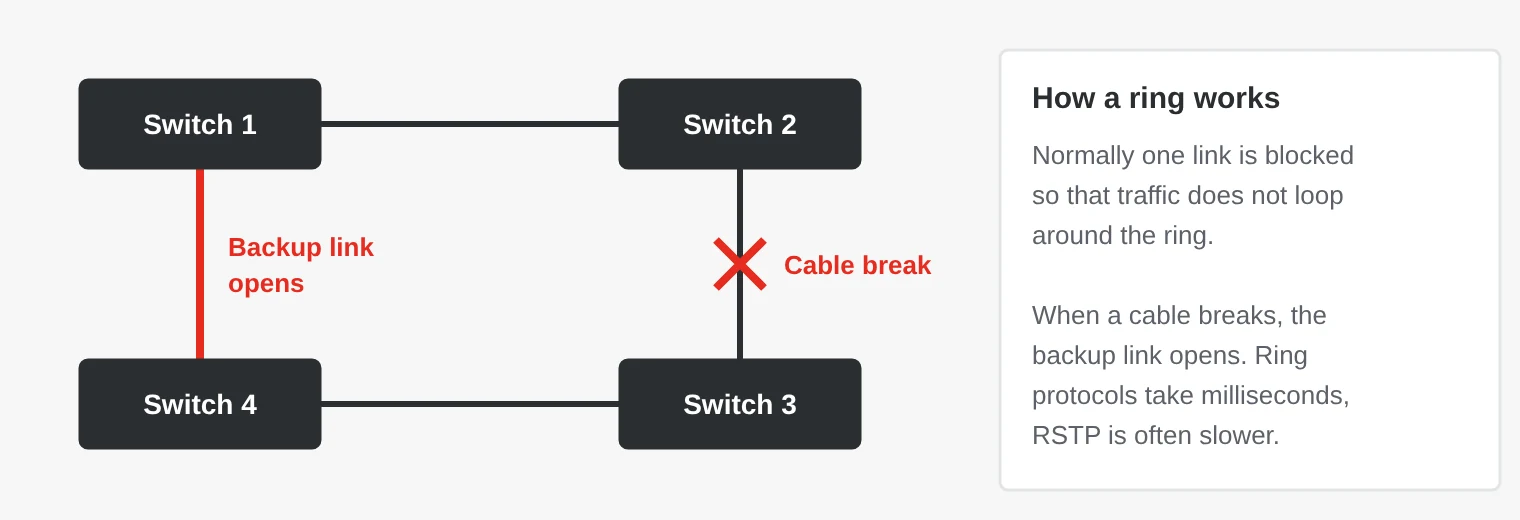
Diagnostics and PoE
A managed switch shows link status, errors and traffic per port and can raise alarms via SNMP, email or a relay output. PoE powers cameras, access points and sensors over the network cable: up to 15.4 W per port with IEEE 802.3af, 30 W with 802.3at and up to 90 W with 802.3bt, measured at the switch.
What does industry require of a switch?
- Temperature – industrial switches are available for −40 to 75 °C, without fans.
- Mounting – DIN rail or wall with a metal housing, and 19-inch racks for backbones.
- Power – dual DC inputs, for example 12–48 V DC, and an alarm relay for power loss.
- Connectors and sealing – M12 instead of RJ45 where there is vibration, and IP67 for vehicles and outdoor use.
- Approvals – EN 50155 for rail vehicles, IEC 61850-3 for substations and Class I Division 2 or ATEX Zone 2 for hazardous areas.
Which switch fits where?
| If you … | … choose |
|---|---|
| build a small machine with few devices and no plant network | Unmanaged switch |
| supply machines that connect to the customer’s network | Managed or smart switch with VLANs and PROFINET or EtherNet/IP support |
| have many EtherNet/IP devices or video streams | Managed switch with IGMP snooping |
| run a process where a cable break must not stop production | Managed switch with a ring protocol or MRP |
| power cameras and access points in tunnels, car parks or ports | Switch with PoE |
| build networks in trains and trams | M12 switch to EN 50155 |
| build substations and switchgear | Switch to IEC 61850-3, often with PRP or HSR |
| build vehicles, ships or defence systems | Sealed IP67 switch or VPX switch |
| need to mix control, video and IT with guaranteed response times | TSN switch |
What is TSN and when does it matter?
Time-Sensitive Networking (TSN) is a set of IEEE 802.1 standards that make ordinary Ethernet deterministic. Without TSN, a large video stream or file transfer can briefly delay control data. With TSN, time-critical traffic gets guaranteed latency even when the network is full of other traffic.
- IEEE 802.1AS – a common clock in all devices.
- IEEE 802.1Qbv – scheduled time slots for time-critical traffic.
- IEEE 802.1Qbu and 802.3br – long frames can be interrupted when an urgent frame needs to get through.
- IEEE 802.1CB – frames are sent two ways for seamless redundancy.
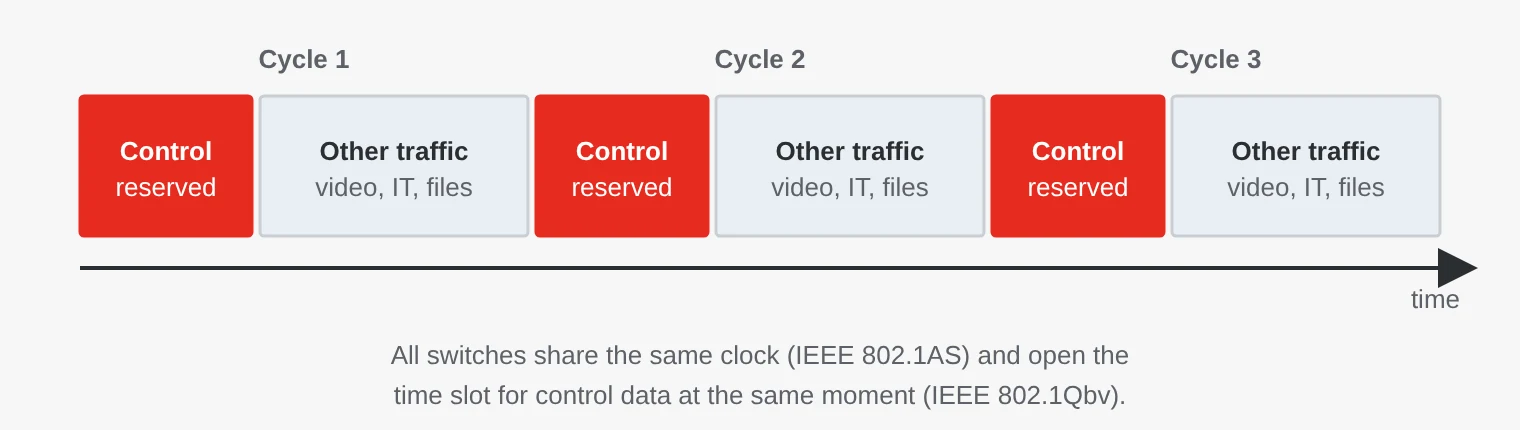
TSN matters when control, video and IT must share one network with strict timing, when motion control has to run over a shared network, and in vehicles, aerospace and defence, with many systems on one backbone. PROFINET and OPC UA have TSN variants, and IEC/IEEE 60802 defines a common TSN profile for industrial automation.
A typical machine or production cell does not need TSN today. PROFINET and EtherNet/IP work well with ordinary managed switches. If you are building a plant meant to last 15–20 years, it can still be wise to ask for TSN support.
Common mistakes
- Unmanaged switch in an EtherNet/IP network. Without IGMP snooping, multicast goes to every port, and simple devices can receive more traffic than they can handle.
- A loop without a redundancy protocol. If two ports are connected by mistake, a broadcast storm can bring down the whole network. RSTP or storm protection prevents it.
- Different ring protocols in one ring. Vendor ring protocols rarely work across brands. If you mix brands, choose a standard such as MRP or RSTP.
- The PoE budget is too small. Check both the power per port and the switch’s total budget. Eight cameras at 30 W need 240 W.
- The default password is still there. A managed switch with a factory password is an open door into the control system. Change passwords and disable unused services.
Switches from SCN
We supply unmanaged, managed and TSN switches from Moxa, Axiomtek, Yaskawa, Duagon, Diamond Systems and Enercon, among others. The range runs from small DIN-rail switches to Layer 3 rack switches, M12 switches for trains and VPX switches for defence systems.
Examples from our range
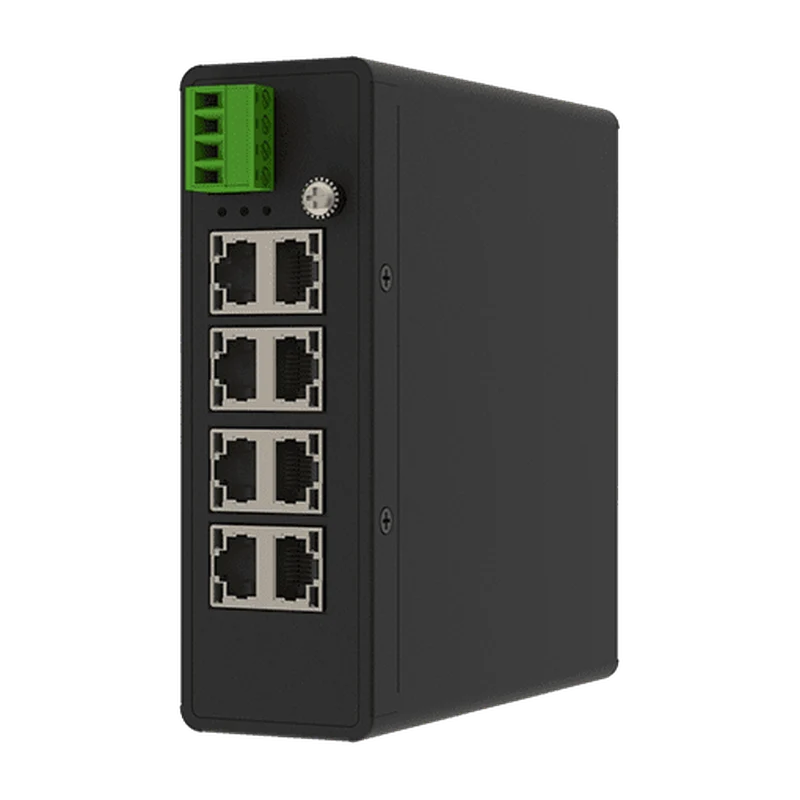 WinmateEACSW 8-Port Marine Ethernet SwitchUnmanaged 8-port switch – plug and play, redundant 12–48 VDC inputs, DIN rail or wall mounting.View product →
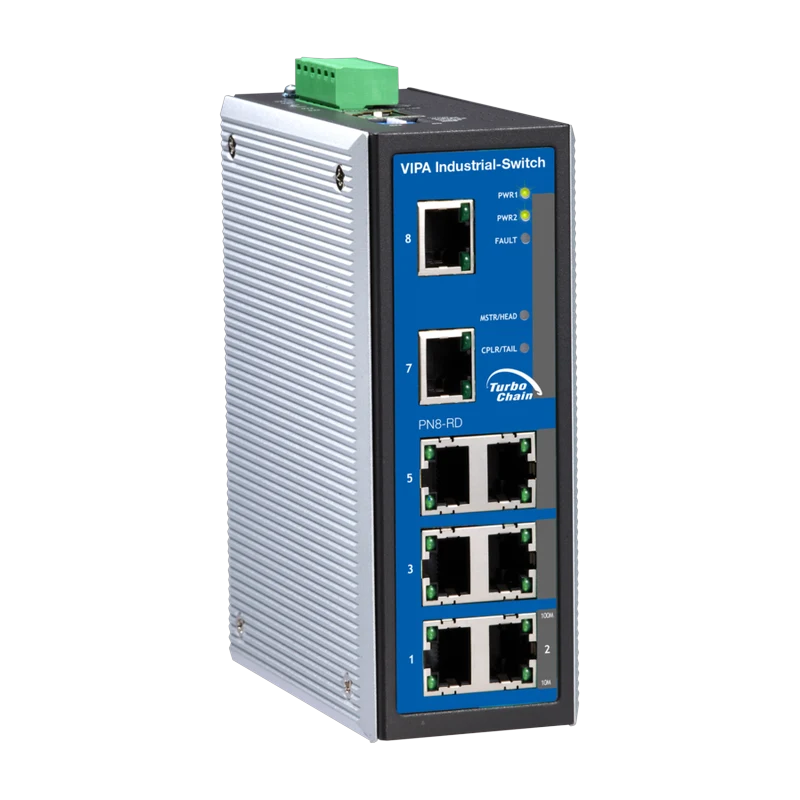 YaskawaPN5-RD / PN8-RD Managed PROFINET SwitchManaged PROFINET switch (Conformance Class B) with Turbo Ring, VLAN, QoS and IGMP snooping for the DIN rail.View product →
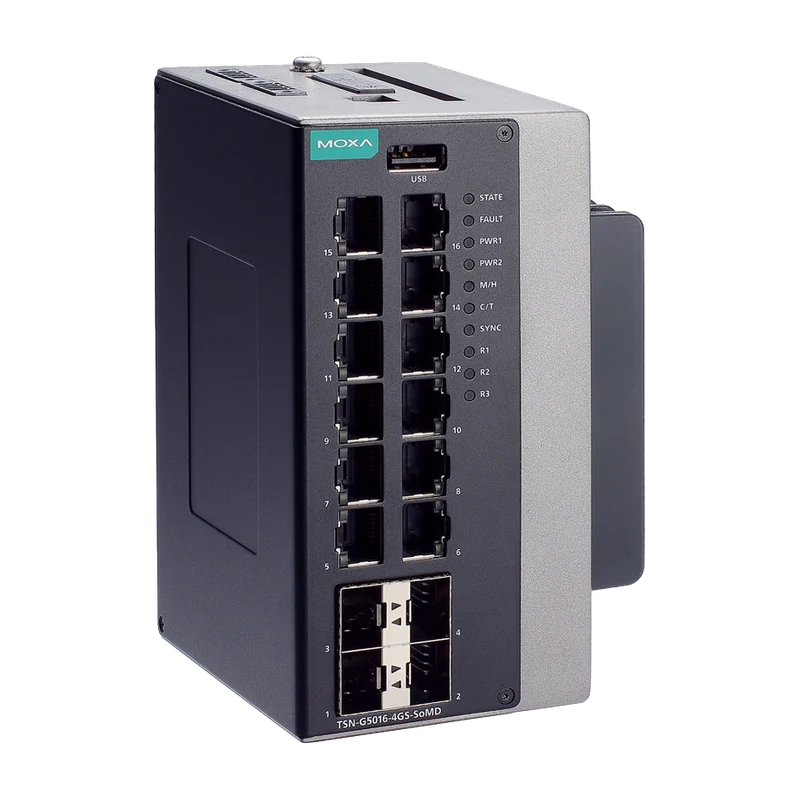 MoxaTSN-G5016 16-Port Gigabit TSN SwitchManaged TSN switch with IEEE 802.1AS time synchronisation and IEEE 802.1Qbv scheduling.View product →
Erik Ahlqvist is Managing Director of SCN and has spent more than 20 years helping industrial companies choose the right electronics for demanding environments. He holds a BSc in Electronics from KTH Royal Institute of Technology, Stockholm.
LinkedIn profileFrequently asked questions
Can you mix managed and unmanaged switches?
Yes, they work together in the same network. But VLANs, IGMP snooping and redundancy only apply in the managed switches, so place them where traffic converges.
What is IGMP snooping?
A function where the switch keeps track of which devices want a multicast stream and only sends it to their ports. Without it, multicast goes everywhere.
Does PROFINET need a managed switch?
Not always. Conformance Class A works with ordinary switches, but Class B requires switches with PROFINET diagnostics, including topology information via LLDP and SNMP.
What is the difference between RSTP and MRP?
RSTP is a general IEEE standard that works in any topology, but recovery can take up to a few seconds. MRP is designed for rings in industrial networks and recovers within a guaranteed time, usually 200 ms at most.
Do ordinary devices work in a TSN network?
Yes, TSN switches forward ordinary Ethernet traffic. The latency guarantees only apply to scheduled traffic, though, and every switch on the path must support TSN.
More guides on Network Products
All guides →Unsure which switch your network needs? Describe the installation to us – you get an answer within 24 hours.
Ask us