




Industrial PC – choosing a box PC, panel PC or rack PC
An industrial PC has to run around the clock in heat, dust and vibration, for many years. This guide explains the difference between box PCs, panel PCs and rack PCs and what to check before you choose.
 By Erik Ahlqvist, Managing Director of SCN · Updated 24 October 2026 · 7 min read
- Box PC – a compact computer without a screen for a control cabinet, DIN rail or machine. The most common choice for control, data acquisition and machine vision.
- Panel PC – computer and touchscreen in one, mounted in the cabinet door or on an arm. Used as an operator panel (HMI).
- Rack PC – a computer for 19-inch racks in control rooms, server rooms and substations, with room for many cards and drives.
- Fanless – no moving parts that draw in dust or wear out. Check the temperature range for the processor you choose.
- Life cycle – choose a model with long-term availability and an operating system with long-term support.
When is an ordinary office PC not enough?
An office PC is built for 20–25 °C, clean rooms and eight hours a day. Models change every few months. In a factory, a vehicle or a substation it often becomes the weak link – and every new model means new drivers, a new system image and new validation.
You probably need an industrial PC if any of these apply:
- The computer has to run 24/7, year after year.
- The temperature can drop below 0 °C or rise above 35 °C, for example in a control cabinet, a cold store or outdoors.
- There is dust, fibre, oil mist or moisture in the air.
- The computer is exposed to vibration and shock, as on a machine or in a vehicle.
- You need serial ports, isolated digital I/O, CAN or many network ports.
- The same model must be available for every new machine in a series for several years.
Box PC, panel PC or rack PC – what is the difference?
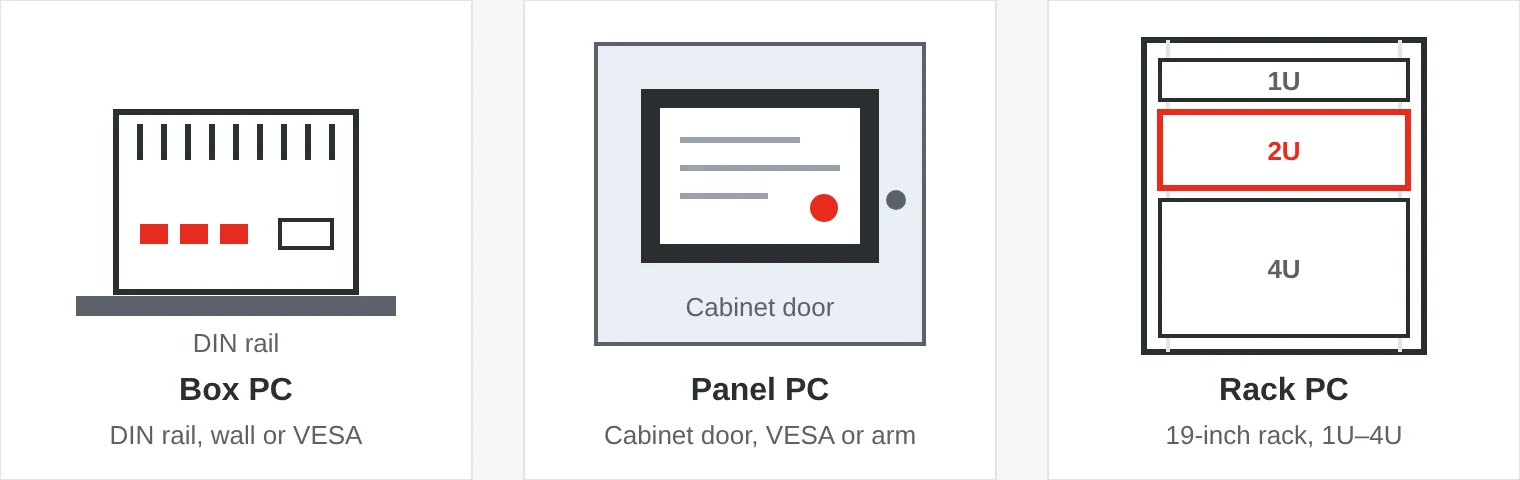
The form factor decides where the computer sits and how it is used. A box PC is the most flexible. A panel PC suits operators working at the machine. A rack PC belongs where 19-inch racks already exist and where performance, drives or expansion cards matter most.
| Type | Mounting | Suits | Keep in mind |
|---|---|---|---|
| Box PC | DIN rail, wall, VESA or built into the machine | Machine control, data acquisition, machine vision, gateways | Screen and keyboard are connected separately |
| Panel PC | In a cabinet door (panel mount), VESA or arm | Operator panels, line-side terminals, kiosks | The IP rating often applies to the front only |
| Rack PC | 19-inch rack, 1U to 4U high | Control rooms, server rooms, substations, test rigs | Usually has fans – choose a model with filters |
Fanless cooling and temperature range
A fanless computer conducts heat from the processor to cooling fins on the chassis. There are no fans to draw in dust or wear out, and the computer is completely silent. That is why most industrial box PCs and panel PCs are fanless.
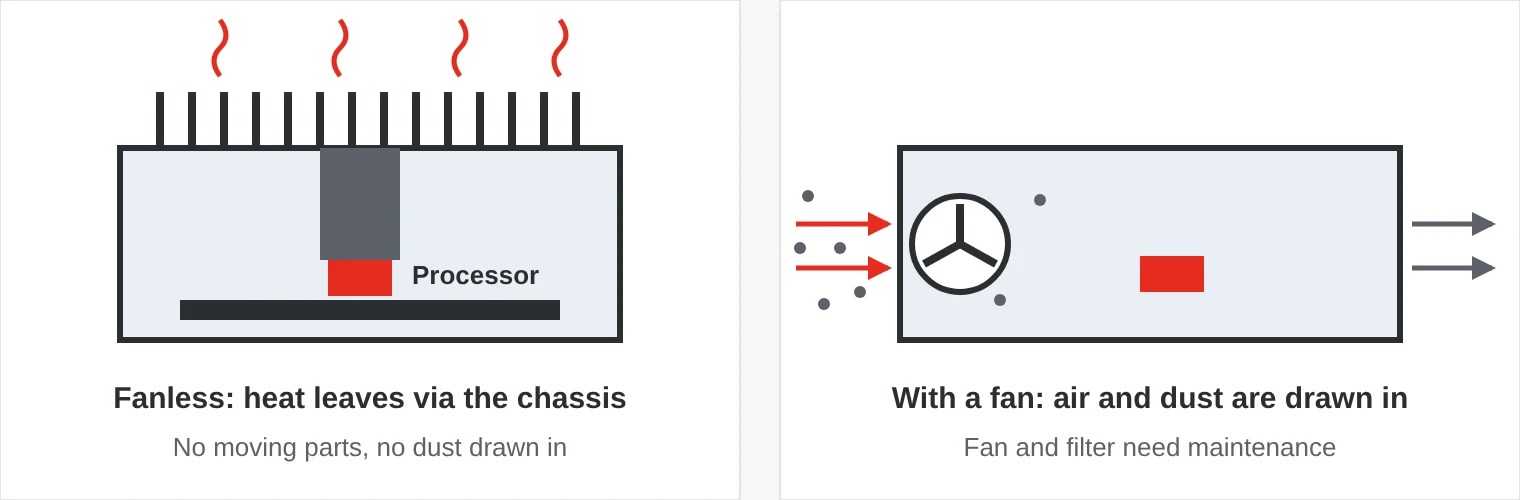
Read the temperature range carefully. It is often stated for a certain processor power, for example “−20 to 70 °C with a 35 W CPU”. With a more powerful processor the limit may be lower, and in high heat the processor lowers its clock speed to protect itself. Remember also that the air inside a control cabinet is often much warmer than the room. Cold works the other way: at −40 °C some screens and drives need a built-in heater to start.
I/O, expansion and storage
Start with what the computer must connect to. An industrial PC often has several network ports, some with PoE for cameras, serial ports for RS-232/422/485, isolated digital I/O and sometimes CAN. M.2 and Mini PCIe slots are used for 4G/5G and Wi-Fi. Frame grabbers, motion control cards or an AI graphics card need real PCIe slots and a computer that can handle the power.
Storage is a common source of failures. Industrial SSDs handle a wider temperature range, have power-loss protection and a fixed bill of materials, so the same drive is delivered year after year. SLC and pSLC types withstand far more writes than ordinary TLC drives. To reduce wear further, you can use a write filter in the operating system, such as the Unified Write Filter in Windows IoT.
Power supply: vehicles and mobile machines need a wide input range, for example 9–36 V DC, and ignition control that starts and shuts down the computer in a controlled way.
Life cycle and operating system
A machine is often sold for many years. You then want to buy the same computer, or a compatible successor, throughout that period. Industrial manufacturers choose components with long-term availability and give advance notice when something changes or is discontinued. Ask about planned availability.
The same thinking applies to software. Windows IoT Enterprise LTSC receives security updates for ten years, without feature updates that change the system. Windows 11 IoT Enterprise LTSC 2024 is supported until October 2034. Linux, such as an Ubuntu LTS release, is a common alternative. Check that drivers are available for the system you choose.
Where are industrial PCs used?
- Factory and process – machine control, SCADA and MES terminals, machine vision with PoE cameras.
- Food and pharma – stainless steel IP69K panel PCs that withstand high-pressure washdown.
- Vehicles and mobile machines – driver terminals in forklifts, forestry machines and buses, with ignition control and CAN.
- Rail – EN 50155 computers for passenger information, video surveillance and diagnostics.
- Energy and infrastructure – rack PCs and gateways in substations, water treatment plants and tunnels.
- Medical technology – computers and panel PCs certified to IEC 60601-1 near the patient.
- Defence – rugged servers and consoles tested to MIL-STD-810.
Five common mistakes
- Measuring the room temperature. What counts is the air around the computer. In a closed cabinet with variable speed drives it can be far above room temperature.
- An ordinary SSD. Consumer drives lack power-loss protection and can be swapped for a different model without notice.
- Forgetting the power supply. Voltage dips, spikes and power cuts are common in industry and vehicles. Choose the right input voltage and plan for a controlled shutdown.
- No life-cycle plan. If the model is discontinued after a year, you have to revalidate the whole machine.
- Too little headroom. An extra network port, a free M.2 slot or a PCIe slot costs little today but can save a new computer in a few years.
Industrial PCs from SCN
We supply box PCs, panel PCs and rack PCs from brands such as Arbor Technology, Winmate, Axiomtek and Systerra – from small DIN-rail computers to rugged servers. In the categories you can filter by temperature range, screen size, IP rating and interfaces.
Examples from our range
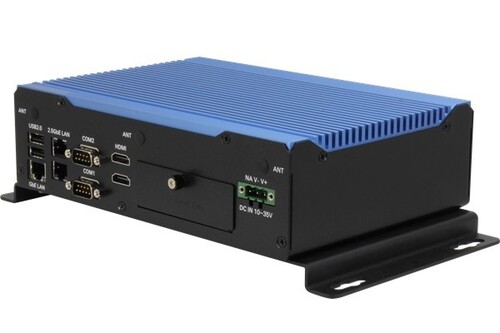 AAEONBoxer-6647-MTHFanless box PC with Intel Core Ultra, 9–36 V DC input and −20 to 70 °C.View product →
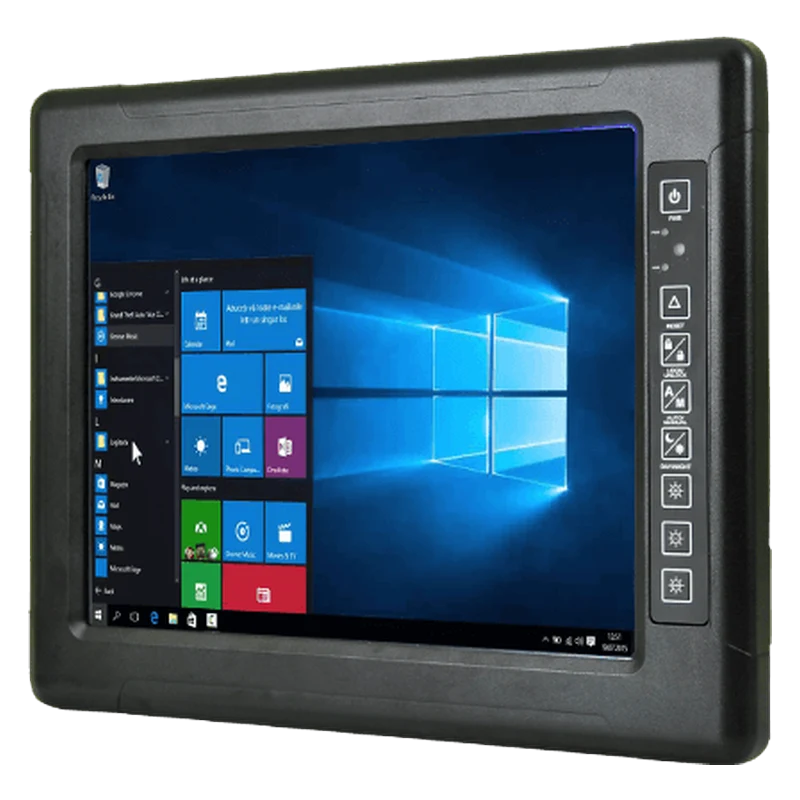 WinmateR15IT3S-67C3(HB) 15" IP67 Sunlight Panel PCFully IP67-sealed panel PC with a sunlight-readable screen and a heater for operation down to −40 °C.View product →
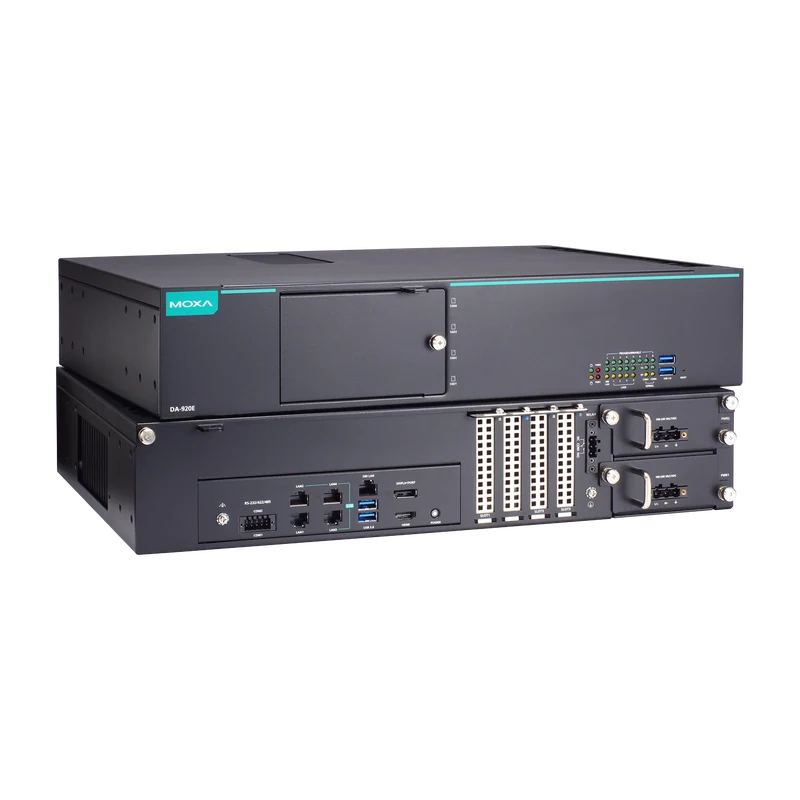 MoxaDA-920E 2U Xeon Substation ServerFanless 2U rack server with Intel Xeon D and RAID, for substations and control rooms.View product →
Erik Ahlqvist is Managing Director of SCN and has spent more than 20 years helping industrial companies choose the right electronics for demanding environments. He holds a BSc in Electronics from KTH Royal Institute of Technology, Stockholm.
LinkedIn profileFrequently asked questions
What is the difference between an industrial PC and an ordinary PC?
An industrial PC is built for 24/7 operation over a wider temperature range, withstands dust and vibration and stays available in the same configuration for longer.
What does fanless mean?
That heat is conducted away through the chassis instead of by fans. The computer is silent, does not draw in dust and has no moving parts to wear out.
Can an industrial PC run Windows 11?
Yes. The most common choice is Windows 11 IoT Enterprise LTSC, which receives security updates for ten years. Many models can also run Linux.
What is a DIN-rail PC?
A compact box PC that clips onto the same DIN rail as the other equipment in the control cabinet. It is often powered from 24 V DC.
More guides on Industrial Computers
All guides →Not sure which computer will cope with your environment? Ask us – you get an answer within 24 hours.
Ask us